Drill Library & Builder
Dry fire drills — built-in library and custom Drill Builder
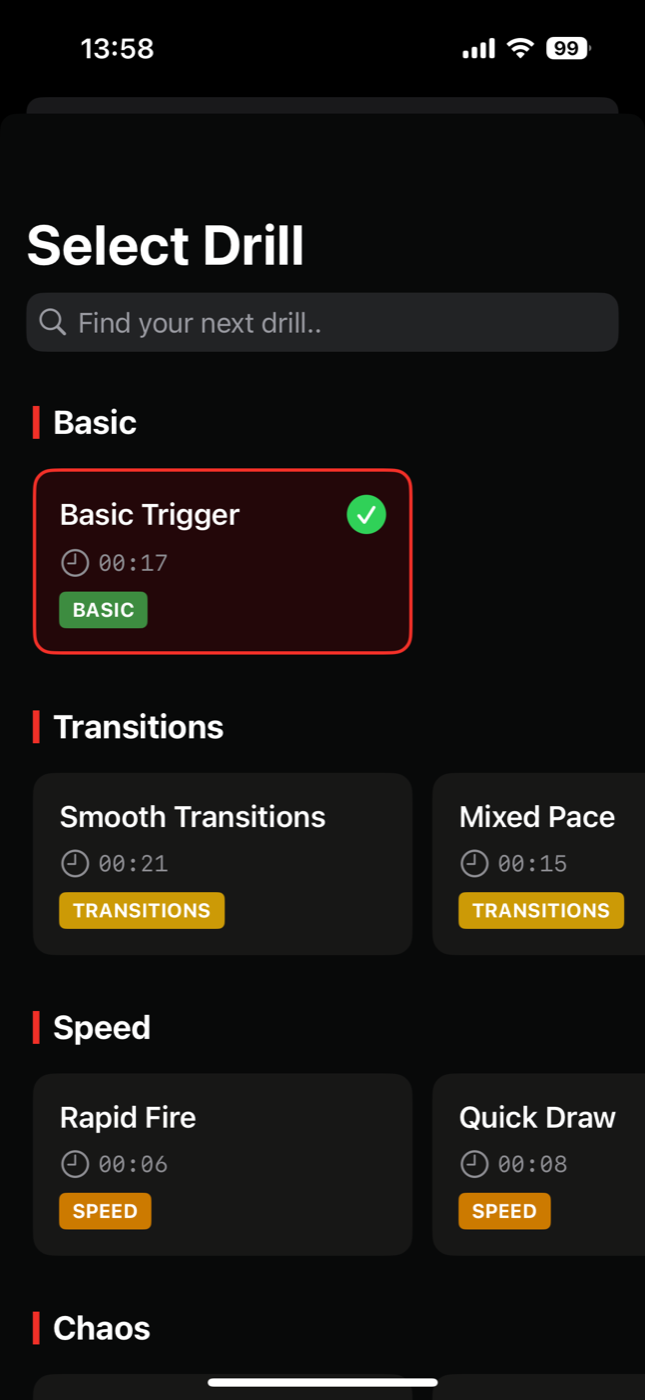
Train with a curated library of dry-fire drills across Basic, Transitions, Speed, and Chaos — or design your own drills step by step with the Drill Builder.
Dry Fire Pro ships with a library of purpose-built drills: trigger-control fundamentals like Steady Trigger, classic speed work like Bill Drill and Rapid Fire, transition training, and unpredictable Chaos drills like Alternating Cadence and Precision Pairs that keep advanced shooters honest.
When the library isn’t enough, the Drill Builder lets you compose your own: define steps, timing, par windows, sounds, and on-screen instructions, then save the result as a preset you can favorite, tweak, and re-run any time.
- 14 built-in drills
- Basic → Chaos categories
- Custom Drill Builder
- Save presets
- Favorites
What you get with Drill Library & Builder
Curated library
Drills across four categories — Basic, Transitions, Speed, and Chaos — from first-timer fundamentals to punishing advanced work.
Drill Builder
Compose custom drills from steps with your own timing, instructions, sounds, and haptics.
Presets
Save custom builds as presets, duplicate them, and iterate as your training evolves.
Drill Tweaker
Adjust any drill — built-in or custom — with random timing, loops, and par changes.
Favorites
Star the drills you run most and launch them straight from HQ.
Drill of the Day
A fresh pick every day keeps your practice varied.
Private by design
No accounts, no logins, no trackers. Trigger detection runs entirely on your device — audio is processed locally and never uploaded. Your training history stays on your phone, and everything works offline.
Frequently asked questions
What drills are included?
The library includes drills such as Steady Trigger, Smooth Transitions, Rapid Fire, Bill Drill, Mixed Pace, Quick Draw, Alternating Cadence, Precision Pairs, and Endurance Run, organized into Basic, Transitions, Speed, and Chaos categories. Several are free; the full library is part of Premium.
Can I create my own drills?
Yes. The Drill Builder lets you define a sequence of steps with custom timing, par windows, on-screen instructions, and sounds, and save it as a reusable preset.
Are the drills suitable for beginners?
Yes. Basic-category drills focus on trigger control fundamentals, and every drill shows instructions on screen as you run it. Categories then scale up to Speed and Chaos for experienced shooters.
Can I modify a built-in drill?
Yes. The Drill Tweaker lets you adjust timing, standby randomization, looping, and more on any drill without building it from scratch.